You ordered the part. The name matched. The photo looked right. Then it arrived and didn't fit, and now your production line is waiting.
Getting a robot part number wrong isn't just inconvenient. It's a full stop on your output.
To verify the exact robot part number before buying, check five things: technical specs (load, accuracy, IP rating), physical dimensions and mounting interface, electrical ratings and communication protocol, functional version and safety compliance, and official documentation or approved substitution records. Visual similarity and a matching component name are not enough to confirm compatibility.
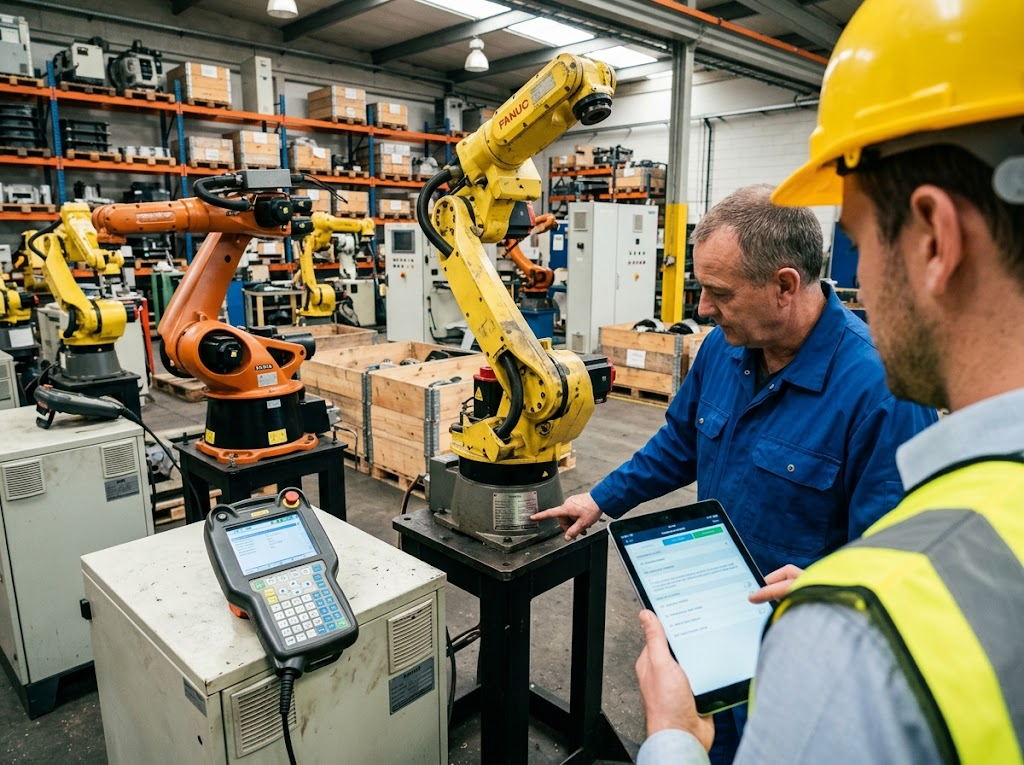
Here's the thing most buyers miss. Whether you're sourcing tested used robot spare parts for a second hand factory automation robot, hunting down obsolete FANUC robot parts for a machine your OEM stopped supporting, or buying a replacement component for a cost-effective industrial robot on a tight budget, the verification process is the same every single time. The part number is your starting point. The five checks below are what turn that number into a confirmed fit. Let me walk through each one.
What Is a Part Number and Why Does Getting It Wrong Cost So Much?
Two parts can share the same name. Two parts can look identical in photos. But no two parts in any industrial system share the same part number. That's the entire point of the system.
A part number (P/N) is the unique identity code assigned to every individual component, assembly, or sub-system. Like a national ID number, it encodes hidden information about the component type, product family, and version. No two parts share the same number, even if they appear identical. The part number is the only reliable reference for ordering the right component.
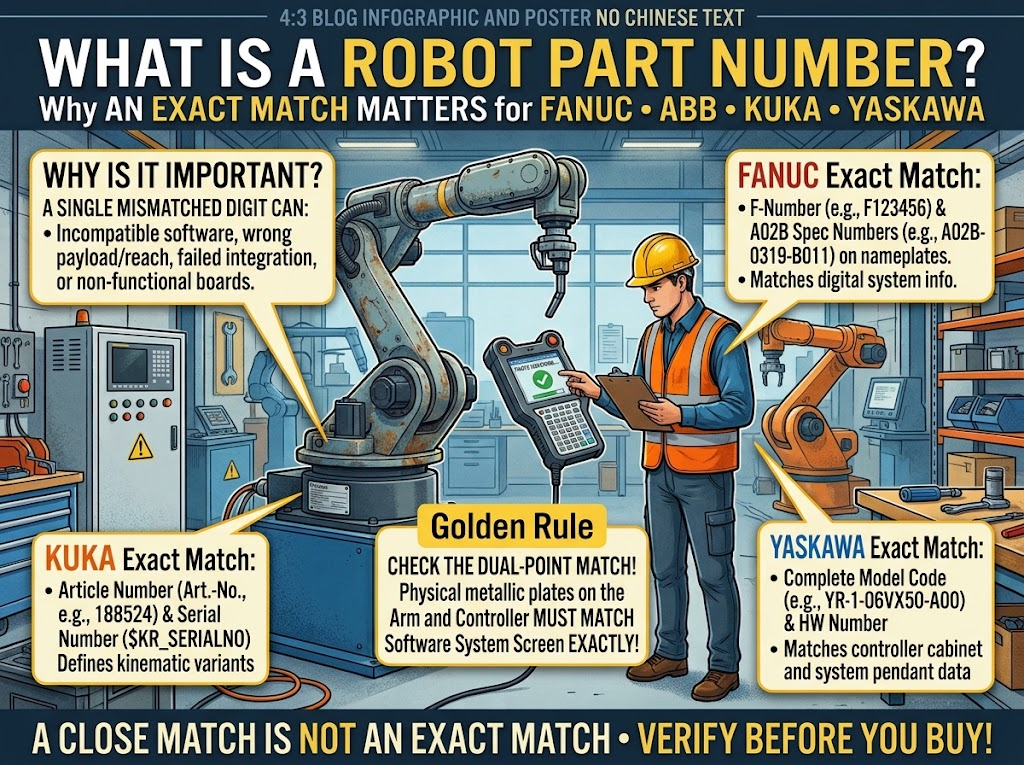
Part numbers are identity cards, not descriptions
I think of part numbers exactly like ID card numbers. People share names all the time, but no two people share an ID number. The same rule applies in any industrial BOM.
A "servo motor" is a category description. There could be forty different servo motor variants across a single FANUC product family. Only the part number tells you which exact unit your controller was designed to work with.
How a part number is structured
Most industrial robot part numbers embed technical information directly in the code. A typical 12-character number might break down like this:
| Code segment | What it encodes |
|---|---|
| First 2–3 characters | Component type (motor, drive, board, cable) |
| Middle segment | Robot model family or product series |
| Final segment | Specific version, revision, or configuration |
Reading the structure helps you catch a mismatch before you even check the spec sheet.
Where to find the correct part number
- Nameplate stamped or printed on the physical component
- Original Bill of Materials (BOM) shipped with the robot
- The robot's maintenance or service manual
- The controller's internal diagnostics screen
- The original OEM packing label
Why visual matching fails every time
A used KUKA KRC4 teach pendant from one controller sub-generation and one from the next can look completely identical. Same housing shape, same connector profile. But the firmware generations differ, and swapping them causes controller faults immediately on power-up.
🔑 Firm rule: If the part number doesn't match character by character, the part doesn't match. There is no "close enough" in robot maintenance.
A solid pre-owned robotic arms distributor maintains a full industrial robot inventory list with exact part numbers, not just product category names. We list every component by exact P/N in our all robot parts catalog so you can cross-check before you order.
How Do You Match Technical Specs to a Robot Part Number?
The part number looks right. Now you need to confirm the performance specifications behind that number match what your specific robot model actually requires. Load ratings, accuracy class, and IP grade can each independently break compatibility.
To match technical specs, verify rated load and self-weight, positioning accuracy and joint range of motion, and IP protection class against the datasheet for your exact robot model and generation. A part passing all three checks is technically compatible in core performance. Failing any one of them creates a risk regardless of the part number match.
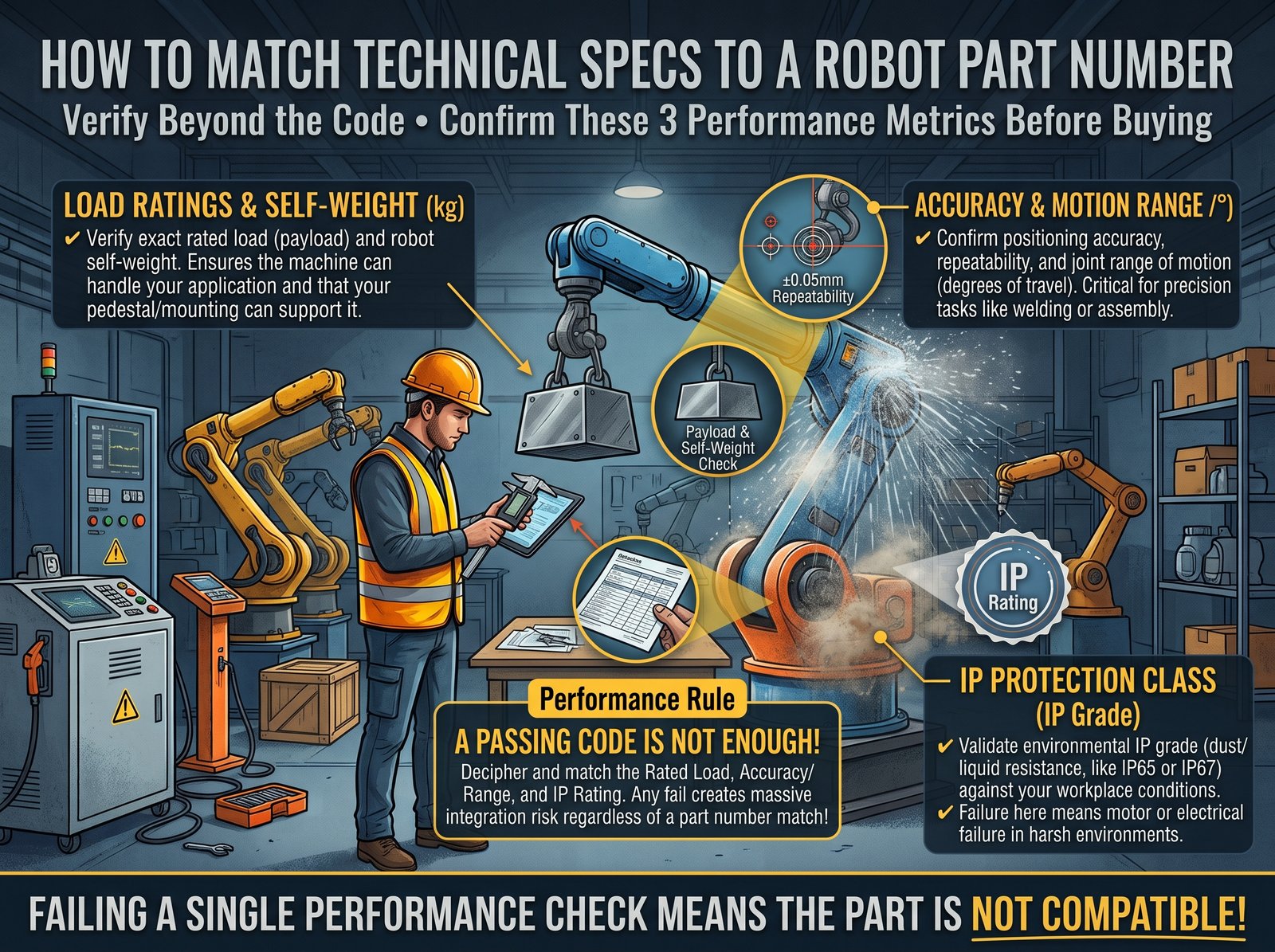
Three layers of performance compatibility
When I verify a part, I run three performance checks before anything else.
Layer 1 — Load and weight capacity
Every robot arm and component has a rated payload. A replacement part that adds weight beyond the original specification shifts the load ratio at every joint position.
Check these numbers:
- Rated payload capacity of the replacement component
- Self-weight of the part and how it changes the arm's effective center of mass
- Whether the addition pushes the joint torque beyond the rated limit at full extension
Layer 2 — Accuracy and range of motion
This matters most for encoders, joints, and sensors. A lower-resolution encoder changes the arm's repeat positioning accuracy across the entire axis, not just at the joint you replaced.
| Parameter | What to verify |
|---|---|
| Repeat positioning accuracy | Must meet or exceed original spec |
| Angular range of motion | Must not reduce effective travel range |
| Encoder resolution | Must match original bits-per-revolution |
A refurbished industrial robotic arm going back into a precision assembly cell needs the same encoder resolution as it left the factory with. Any downgrade shows up as drift on the finished product.
Layer 3 — Environmental protection rating (IP class)
A robot arm running inside an automotive paint booth, a food processing line, or a heavy metalworking cell needs a different IP rating than one in a clean-room assembly environment.
- IP54 — Dust-protected, water-splash safe. Standard factory floor use.
- IP65 — Fully dust-tight, direct water jet protection. Heavy particulate environments.
- IP67 — Full dust sealing, temporary immersion rated. Wash-down areas.
⚠️ Installing a lower-rated component in a higher-exposure environment doesn't just risk that component. It compromises the protective rating of the whole robot section.
Browse our encoders and resolvers and reducers and gearboxes listings, each with IP class and accuracy spec published so you can match against your robot's original datasheet.
How Do You Verify Physical Interfaces and Connector Pinouts?
The specs match on paper. Now the physical fit question: are the mounting hole positions correct, are the flange dimensions right, and does the connector have the right pins in the right positions? A 2mm offset in a mounting pattern or a single misaligned pin stops the installation cold.
To verify physical compatibility, compare the part's exact body dimensions, mounting hole pattern, and flange interface against the robot's mechanical installation drawing. Then compare the connector shape, pin count, pin signal assignment, and mating direction against the robot's electrical wiring diagram. Any single mismatch at this stage prevents a successful installation.
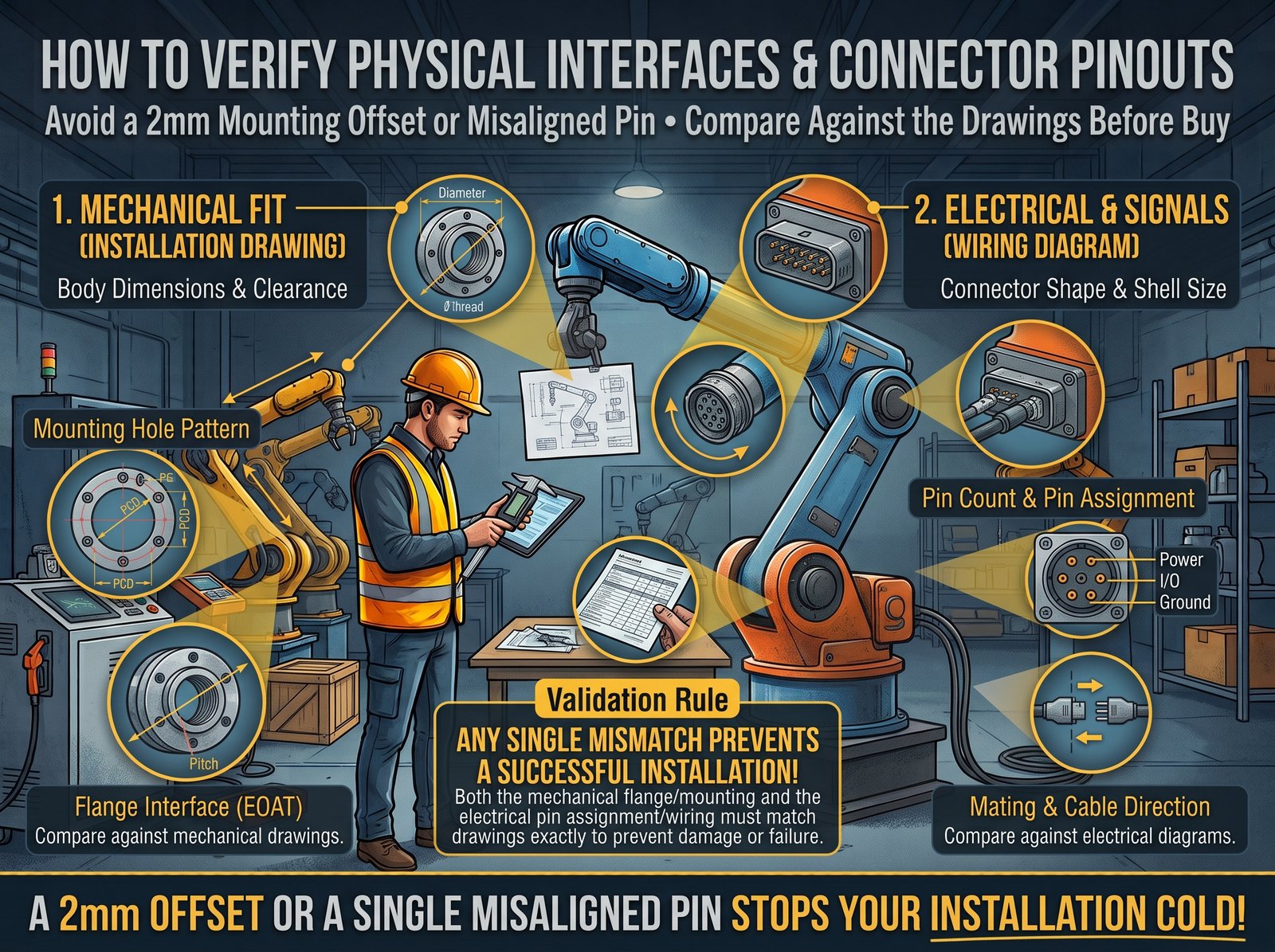
Why dimensions matter even when part numbers match
This surprises buyers the first time they encounter it. The same base part number can exist in multiple physical revisions. A motor housing, encoder bracket, or controller board mounting configuration can change between manufacturing runs while the top-level part number stays identical.
Mechanical dimensions checklist
Always confirm these against the robot's mechanical drawing before ordering:
- Overall envelope dimensions (length × width × height)
- Mounting hole pattern and bolt circle diameter
- Shaft diameter and keyway profile (for drive components)
- Flange standard and bolt pattern (ISO, DIN, or brand-specific)
- Clearance envelope after installation — does the new part physically contact an adjacent component?
Connector and pinout verification
Most electrical compatibility failures I see start at the connector, not the circuit. A connector that looks correct at a glance can be wired internally in a completely different signal order.
| Verification item | How to check it |
|---|---|
| Connector housing shape | Compare against the wiring diagram photo |
| Total pin count | Count both sides of the mated pair |
| Pin 1 orientation | Check the keying tab or index mark |
| Signal assignment per pin | Map against the electrical schematic |
| Mating direction | Confirm straight or right-angle entry |
The used KUKA KRC4 teach pendant connector problem in practice
KRC4 pendant connectors are a textbook example of this issue. Two physical pendants can look completely interchangeable. Same housing dimensions, same connector shape. But the internal wiring revision changed between KRC4 batch generations, and the wrong pairing causes a communication fault at first boot.
📋 Before ordering: Ask the supplier to photograph the actual connector face and its label. If they can't show you the physical unit, they may not have it in stock.
We include connector images and pinout notes for our teach pendants and robot cables and harnesses to make this step concrete rather than a guessing game. Browse the full robot spare parts catalog to see what documentation level we maintain on each component.
How Do You Check Electrical and Communication Compatibility?
The part fits on the robot. The next question is whether it speaks the right language to the controller. A voltage mismatch damages hardware. A protocol mismatch is quieter but just as destructive.
To confirm electrical compatibility, match rated voltage, current draw, and power specification against the robot controller's supply specs. Then confirm the communication protocol (EtherCAT, CANopen, proprietary FSSB, or MECHATROLINK), firmware version, and software release against the main controller's current configuration. A protocol or firmware version mismatch causes the controller to refuse the component entirely.
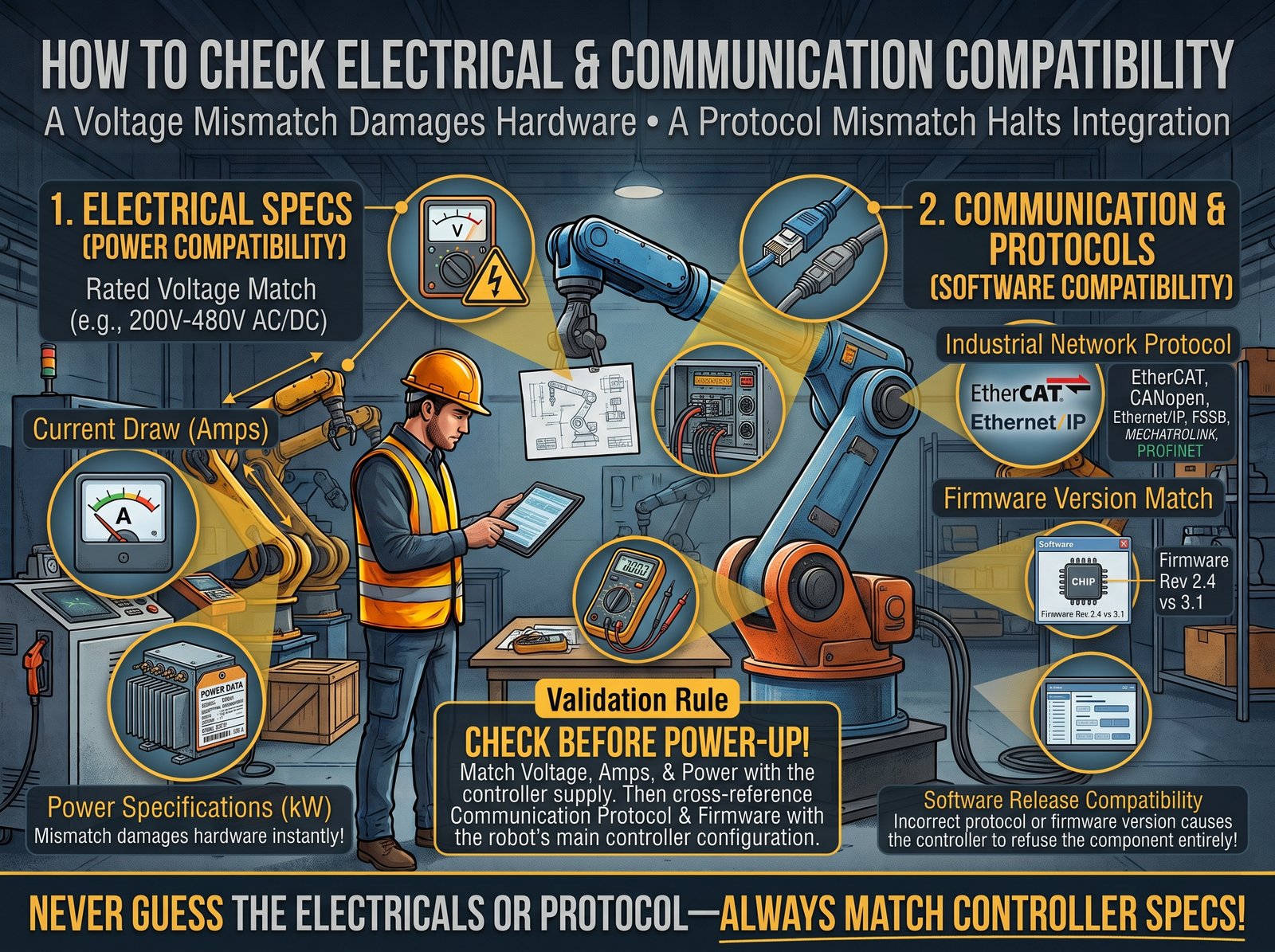
Electrical and protocol mismatches cause the most expensive failures
A mechanical mismatch stops at installation. An electrical or firmware mismatch can survive power-up for ten minutes, then fail in a way that requires full diagnostics to trace. I've seen replacement servo drives match the physical housing and base part number, but run a firmware generation the controller rejected outright on its first handshake.
Electrical parameters to cross-check
| Parameter | Why it matters |
|---|---|
| Rated input voltage (V) | Wrong voltage causes immediate damage or overheating |
| Rated operating current (A) | Overcurrent burns driver circuitry |
| Power rating (W or kW) | Underpowered component fails under full load |
| Tolerance band | Confirms stability at the actual supply rail level |
Communication protocol by brand
Different robot brands use different communication architectures, and upgrading or replacing within a product line doesn't always guarantee protocol continuity:
- FANUC — FSSB (FANUC Serial Servo Bus), αi pulse coder interface
- ABB — EtherNet/IP, PROFIBUS, DeviceNet, RAPID interface
- KUKA — EtherCAT, ProfiNet, KRL-based control interface
- Yaskawa / Motoman — MECHATROLINK, DeviceNet, EtherNet/IP
A replacement board or drive module must match both the protocol name and the version generation of the controller it's connecting to. Major and minor version mismatches both cause problems.
Firmware version alignment
Even when the protocol matches by name, firmware gaps break pairing. A controller on firmware 7.x may refuse a servo drive built and shipped for 8.x. Always ask the supplier:
- What firmware version is on this specific unit?
- What controller generation is it confirmed compatible with?
🔌 Common failure pattern: A buyer orders a replacement servo motor for an ABB robot by part number only, skipping the drive amplifier firmware check. The motor itself is fine. The amplifier refuses the pairing. Both parts sit unused while the line stays down.
Our servo drives and amplifiers, servo motors, power supply modules, and I/O modules and communication boards all include firmware generation notes to help you match the right component to your controller version before anything ships.
Where Do You Find Official Documentation and Substitution Records?
Every check so far has narrowed down the field. Official documentation and approved substitution records are the final confirmation step. Without them, you're relying on inference rather than proof.
To confirm official compatibility, check the component's product manual, the brand's official spare parts compatibility matrix, or the robot's original BOM. Then check your internal substitution approval records to confirm the part has been tested and approved for your specific robot model and serial range. If no official record exists, run a small-batch installation test and document the result yourself before scaling.
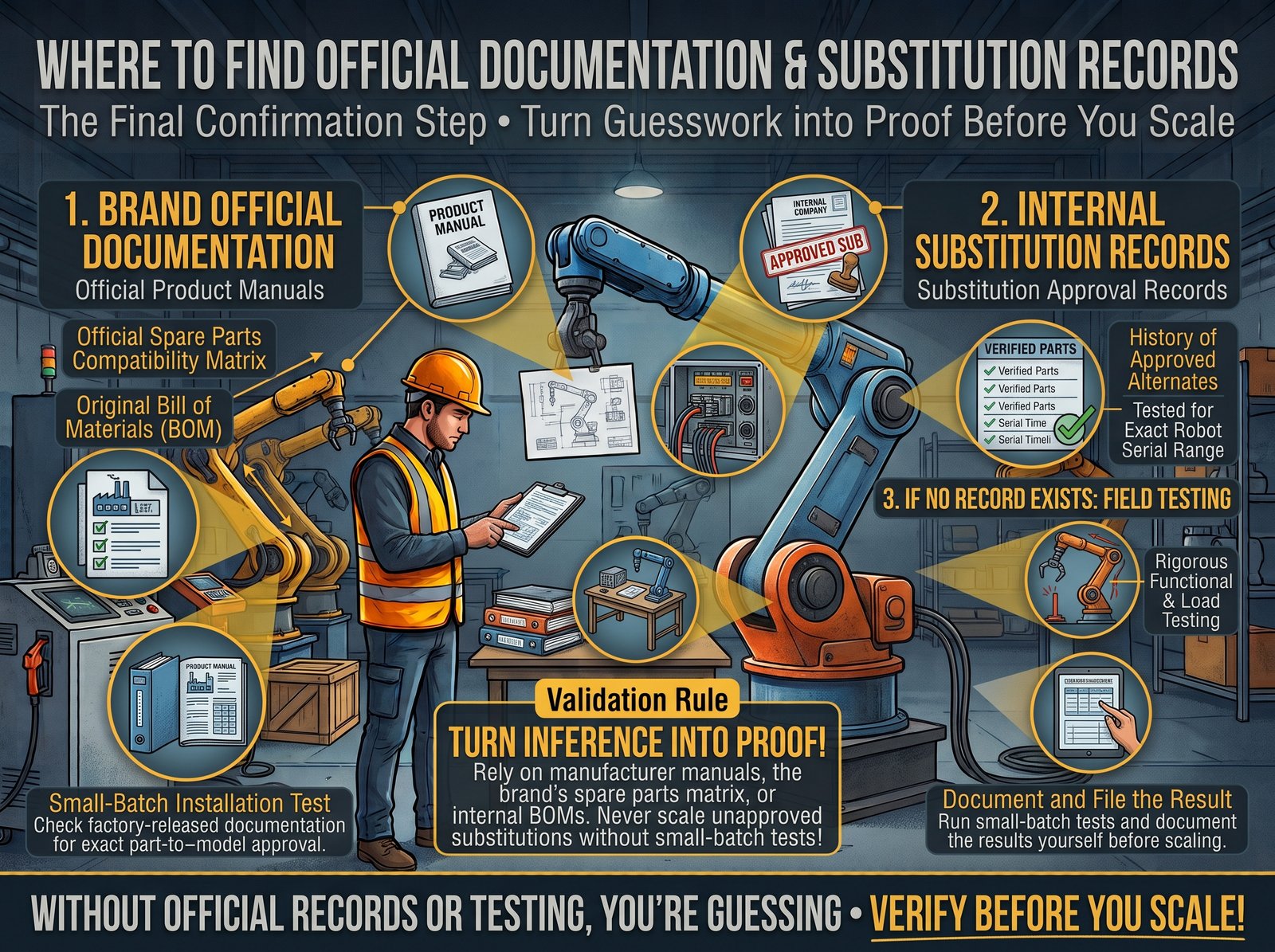
Official documentation is the last safety net
I treat documentation as the final filter. By this point, most incompatible parts are already eliminated. What I'm confirming now is that the part I've verified on paper has been proven to work in practice, either by the OEM or by someone who went before me and recorded the result.
Where to find OEM compatibility data
Brand service portals and tools:
- FANUC — iHMI Partner Portal, parts cross-reference and BOM lookup
- ABB — ABB Robotics service portal, spare parts finder with serial number input
- KUKA — KUKA Xpert, authorized service documentation and compatibility tables
- Yaskawa — E-catalog, product replacement cross-reference tables
Robot documentation package (shipped with the original unit):
- Maintenance manual — includes the approved spare parts list for the specific model
- System integration manual — covers approved peripheral interface standards
- Software release notes — lists firmware-to-hardware compatibility by version
Internal substitution records are just as valuable
In active production environments, internal substitution approval records carry real weight. A documented internal record stating "Part A approved as a direct replacement for Part B on Robot Series X from serial number XXXX onward" is traceable, auditable, and protects your team if anything goes wrong post-installation.
Build this record for every substitution you make:
| Record field | What to log |
|---|---|
| Original P/N | The part being replaced |
| Substitute P/N | The replacement being tested |
| Robot model and serial range | Where this substitution is approved |
| Approval date and approver name | Who authorized the change |
| Small-batch test result | Performance observations before full rollout |
Always run a small-batch test before full installation
Even when every check passes, test one unit on one robot before committing to a complete line rollout. Watch for:
- 🔊 Unusual noise or vibration in the replaced axis
- 🌡️ Unexpected heat at the component or its surrounding connections
- ⚠️ Fault codes or alarm entries in the controller event log
- 📐 Reduced positional accuracy or inconsistent repeat performance
🧪 One trial installation costs almost nothing. A full-line rollback of a bad substitution can cost days of production output.
For surplus industrial automation equipment buyers sourcing obsolete FANUC robot parts or discontinued components for a used robot arm for welding cell work, OEM documentation may simply no longer exist. In that case, the small-batch test and your own internal record become the only reliable proof of compatibility you can build. Whether you need parts for a used palletizing robot system, a complete used welding robot cell, or components to keep second hand factory automation robots running, our team cross-references against our available stock records and internal compatibility database before confirming any order. Browse used FANUC robots, used ABB robots, used KUKA robots, and used Yaskawa robots alongside their matching parts catalog. Check new arrivals for recently tested inventory.
Conclusion
Match the part number, then verify specs, dimensions, protocols, and documentation. Run one test installation before scaling up. Do all five, and wrong parts stop costing you production time.
Need tested used robot spare parts right now? Browse our full robot parts catalog at Pengju Robotics or read more buyer guides on our blog.
About Pengju Robotics
Pengju Robotics Co., Ltd. has operated as a used robot supplier China buyers trust since 2012. We handle imported robot trading, automation integration, equipment leasing, robot and spare parts sales, repair, maintenance, and technical training. We maintain service centers in Shenzhen, Chongqing, Xiong'an, and our headquarters in Changsha.
Our team divides across simulation and design engineers, on-site commissioning engineers, and after-sales support staff. Every unit we ship passes a 45-item outgoing inspection covering the robot body, control cabinet, and teach pendant. Our standard has not changed: strictly abide by every standard, responsible for perfect delivery.
🏢 Company: Pengju Robotics Co., Ltd.
📍 Address: No. 3, Maqiaohe Road, Wangcheng District, Changsha City, Hunan Province, China
📧 Email: sales@pengjurobotics.com (primary) · purchase@pengjurobotics.com · info@pengjurobotics.com
📱 WhatsApp / WeChat (Tony): +86 18123897892
Reach us through our contact page or learn more about us.